SaaS free trial signup page: what to test first
Short answer
Start with the trial form itself, not the homepage. Check that the signup button is visible without scrolling on desktop and phones, cut the form to what you need to create the account, split the rest into a second short step, and remove anything that looks like an error. Then test the hero: say what the product does in plain words and make the trial the one clear next step.
Key takeaways
- Open your own trial form on a phone first. A hidden or broken button beats every other problem.
- Ask only for what creates the account in step 1. Everything else can wait for step 2.
- Small doubts add up: visible passwords, warnings that look like errors and bundled consent boxes.
- Judge the test on trial starts per visitor, and keep an eye on trial quality so you don’t buy signups that never activate.
Start with the form, not the homepage
Your trial form is the closest page to the money. Before you rewrite headlines, open the form on your laptop and on your phone, start a trial yourself and note every moment you hesitate. On the salon software project below, the biggest problem wasn’t visible in any screenshot: the “Start My Free Trial” button sat below the bottom edge of an embedded form frame, so visitors had to scroll inside the form to find it. Many never did.
Check these five things first:
- Is the button visible without scrolling? Embedded forms with a fixed height often hide the button on smaller screens.
- How many fields come before the account exists? Email and password create the account. Company size, phone and role can come later.
- Does anything look like an error before the visitor makes one? A permanent “Please enter at least 10 digits” under the phone field reads like a warning.
- Is consent bundled? One required box that mixes the terms with marketing emails makes people stop and read.
- Is the password masked, with a Show toggle? Small details like this decide whether a form feels finished and safe.
Split long forms into two short steps
A long form feels like work before anyone has seen the product. Two short steps feel faster, and you keep the account and the lead after step 1 even if someone stops there.
- Step 1: email and password, and the button.
- Step 2: name, company, phone and team size, with team size as a few tap-friendly options instead of a dropdown.
Read more in multi-step vs single-step forms.
Then test the hero above the form
Once the form works, look at what people see before they reach it.
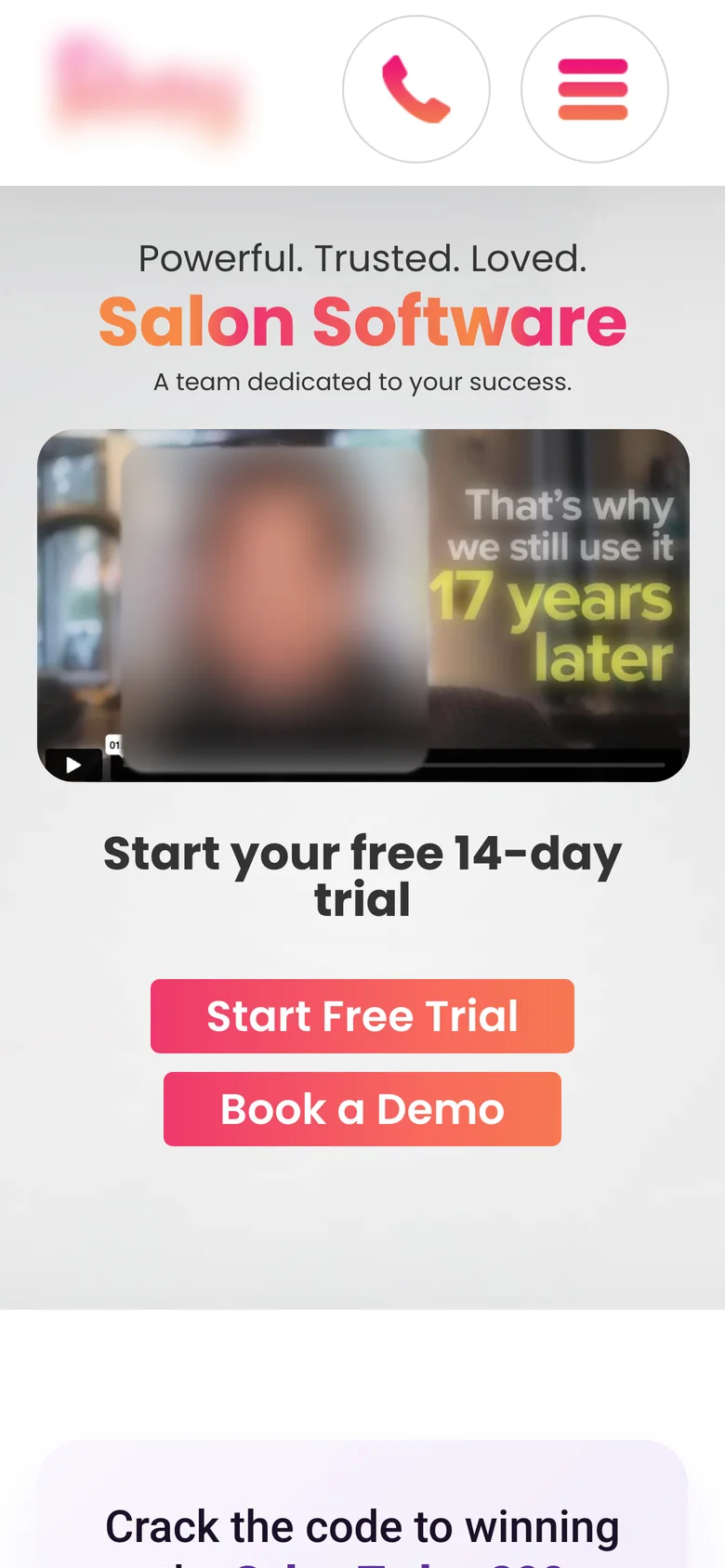
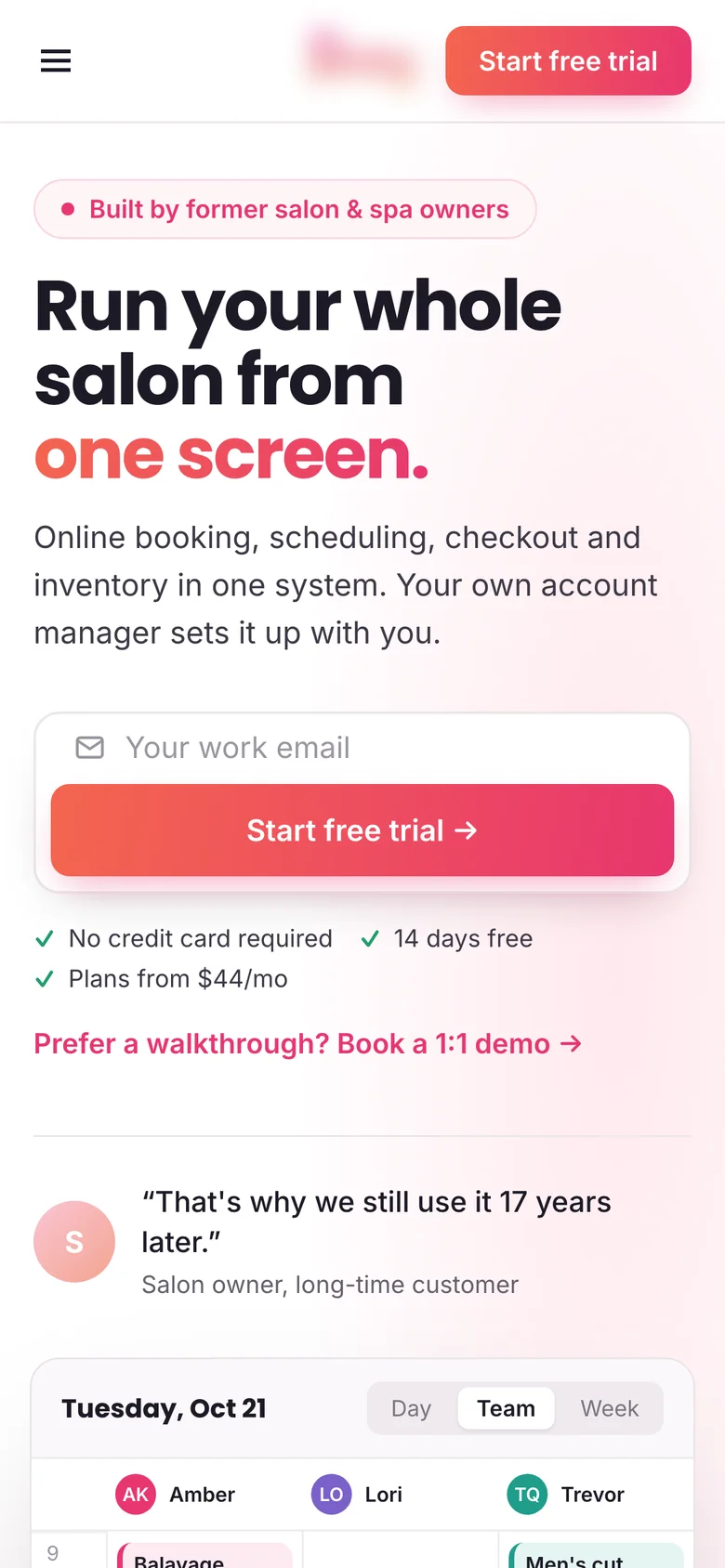
- Say what the product does. “Powerful. Trusted. Loved.” says nothing. “Run your whole salon from one screen” does, and a line under it can list what’s inside.
- Show the product. A screenshot or short loop of the real product answers “what will I get” faster than any adjective.
- Make one button the main one. If “Start free trial” and “Book a demo” look the same, neither is the clear next step. Pick the one most visitors should take and make it stand out.
- Put proof next to the button. A rating, a customer count or one short quote, close to where people decide.
How to measure it
- Main metric: trial starts per visitor to the page, not form completion alone.
- Supporting metric: form completion, from started to submitted, to see whether the form changes helped.
- Guardrail: trial-to-paid or activation rate, so a test that brings more low-quality signups doesn’t look like a win.
Before you start, check how long the test needs with the A/B test sample size calculator. If your traffic is low, test bigger changes, like the whole form, rather than button colors.
Want this done on your trial page?
I find what stops visitors on your trial or demo flow, design the fix, build it or hand it to your developers, and A/B test it on trial starts and trial quality. CRO for SaaS and B2B →
FAQ
What should I A/B test first on a SaaS free trial page?
The signup form: whether the button is visible on every screen, how many fields come before the account exists, and anything that looks like an error. Then the hero: a plain headline, the product and one main button.
Is a two-step signup form better than one long form?
Often, yes. In the salon software test, splitting the trial form into two short steps was part of a redesign that won +11% visitor-to-trial and +18% form completion. Test it on your own traffic, because results depend on the product and audience.
Should I ask for a credit card on a free trial?
It is a trade-off: asking for a card usually means fewer trial starts but more of them turn into paying customers. Decide based on trial-to-paid, not signups alone, and test it if you can.
What metric should a trial signup test use?
Trial starts per visitor as the main metric, form completion as a supporting metric, and activation or trial-to-paid as a guardrail.
Sources

I’m George (Djordje) Peric, a CRO designer, CXL certified in Conversion Optimization and Ecommerce Marketing. I design websites, landing pages, funnels and ads, and A/B test them.