
A salon software homepage and trial form where the button can finally be seen.
A redesign of the homepage hero and the free trial signup for a salon and spa software company. The biggest problem wasn’t visible in a screenshot: on the trial form, the “Start My Free Trial” button sat below the bottom edge of the form’s frame, so visitors had to scroll inside the form to find it. I redesigned the hero and turned the form into two short steps, on desktop and mobile.

Drag to compare before and after
The problem
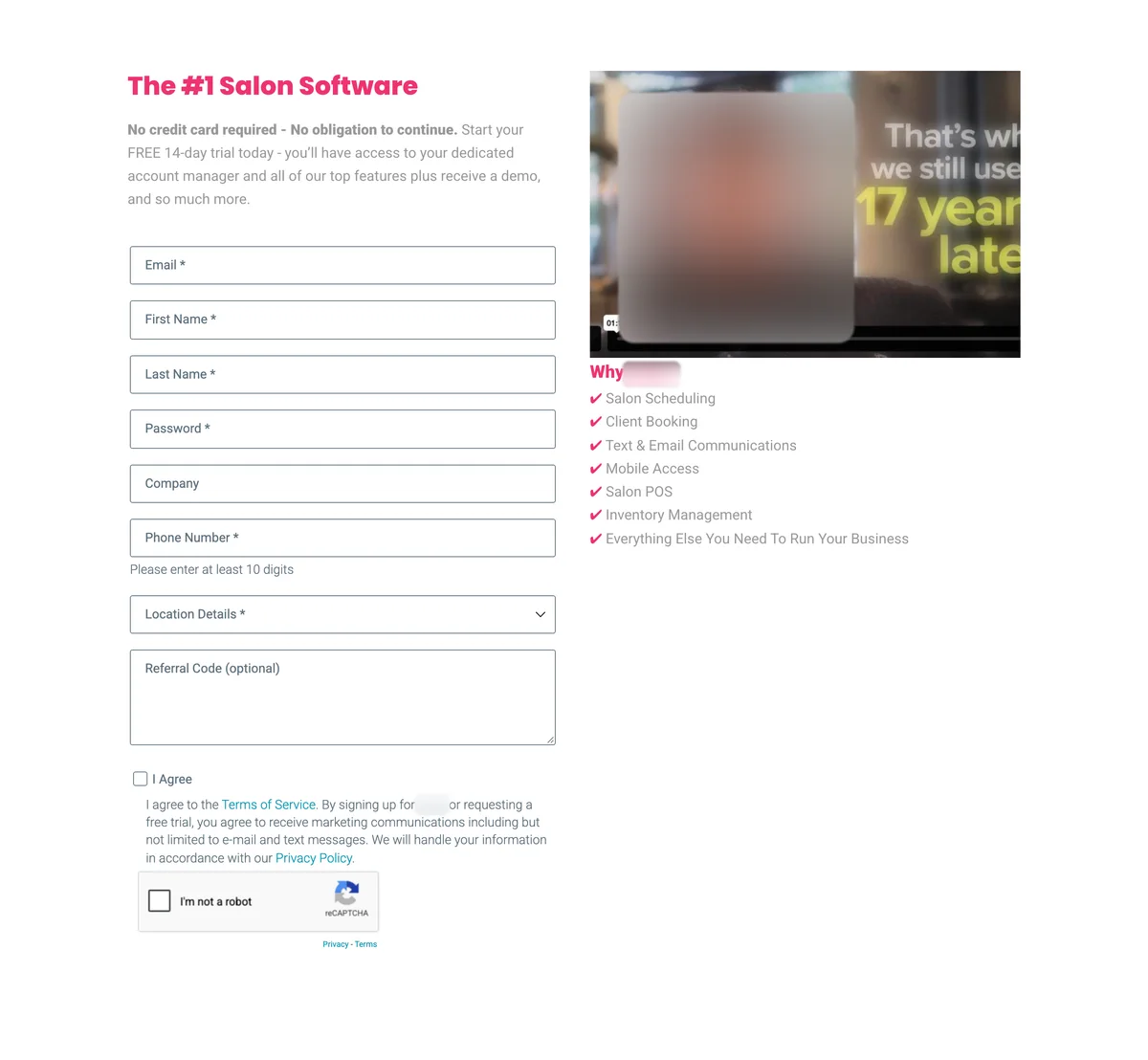
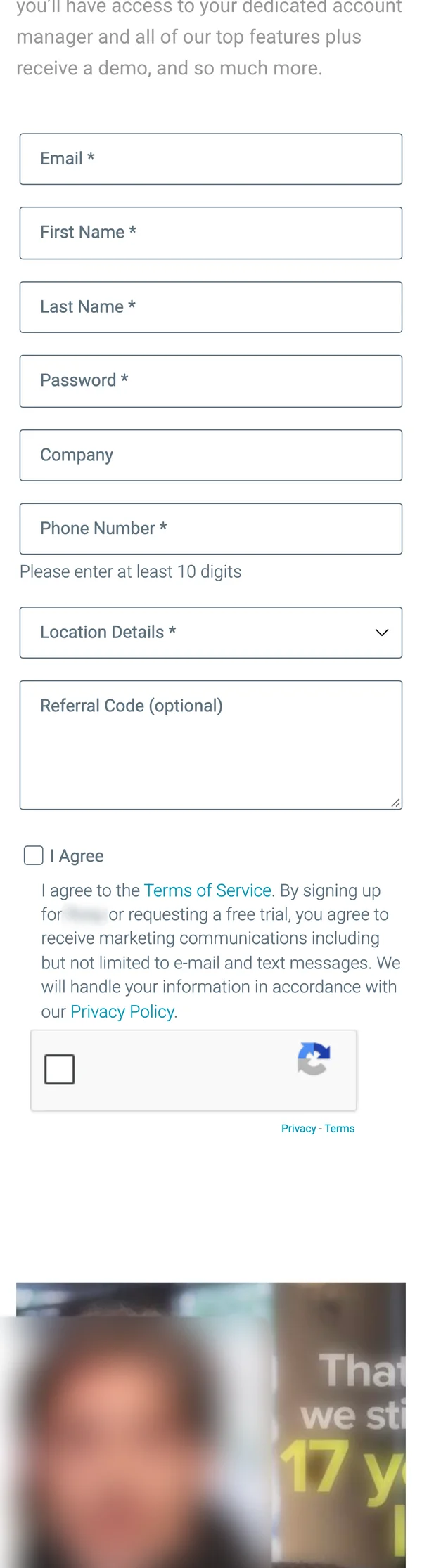
The trial button was hidden. The form sat inside an embedded frame with a fixed height, and the form was taller than the frame. “Start My Free Trial” ended up below the frame’s bottom edge on desktop and on phones, so people only found it by scrolling inside the form. Many never did.
The form itself asked for a lot before anyone saw the product: 8 fields, an “I Agree” checkbox that bundled the terms with marketing consent, and a reCAPTCHA. The password field showed the password while typing, and “Please enter at least 10 digits” sat under the phone field permanently, so it read like an error.
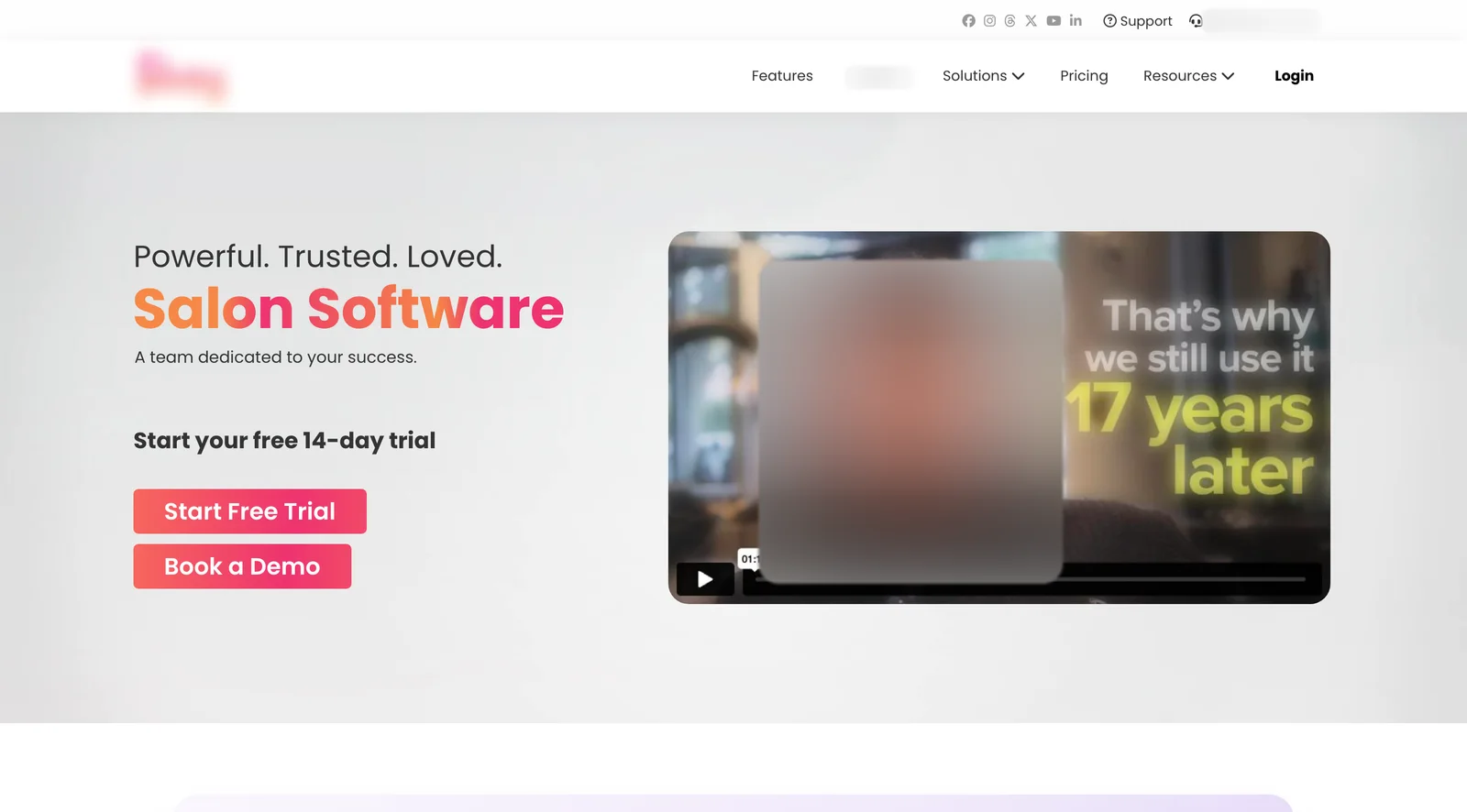
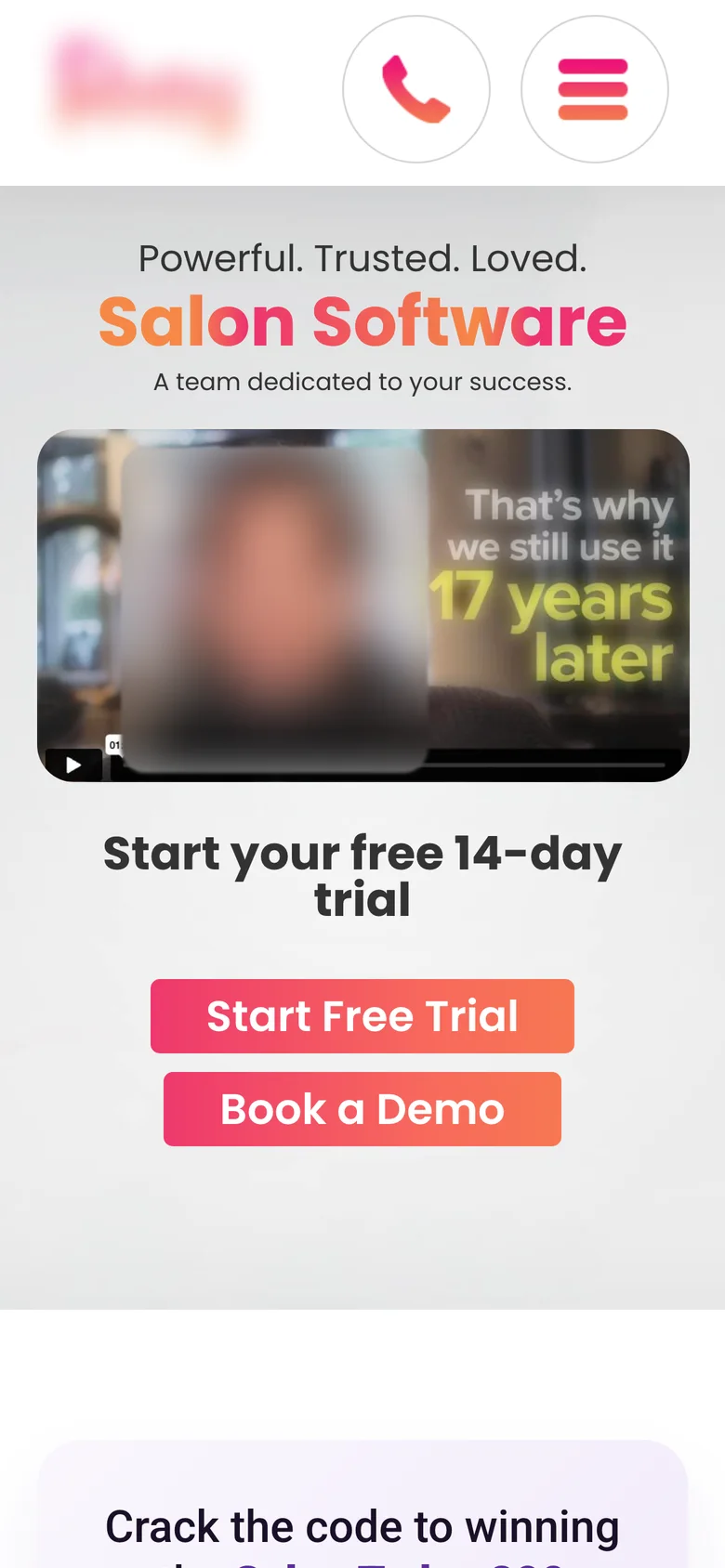
The homepage hero said “Powerful. Trusted. Loved. Salon Software”, which doesn’t say what the product does. The right half was a testimonial video, strong proof but no product, and “Start Free Trial” and “Book a Demo” were the same size and color, so neither was the clear next step.
What I redesigned
Every change, element by element: how it was, what I changed, and why.
Trial button
Below the bottom edge of an embedded form frame, only visible after scrolling inside the form.
No embedded frame. The button is always visible, on desktop and on mobile.
Why: If people can’t see the button, nothing else on the form matters. This was the single biggest fix.
Form structure
One long form: 8 fields, a combined consent checkbox and a reCAPTCHA.
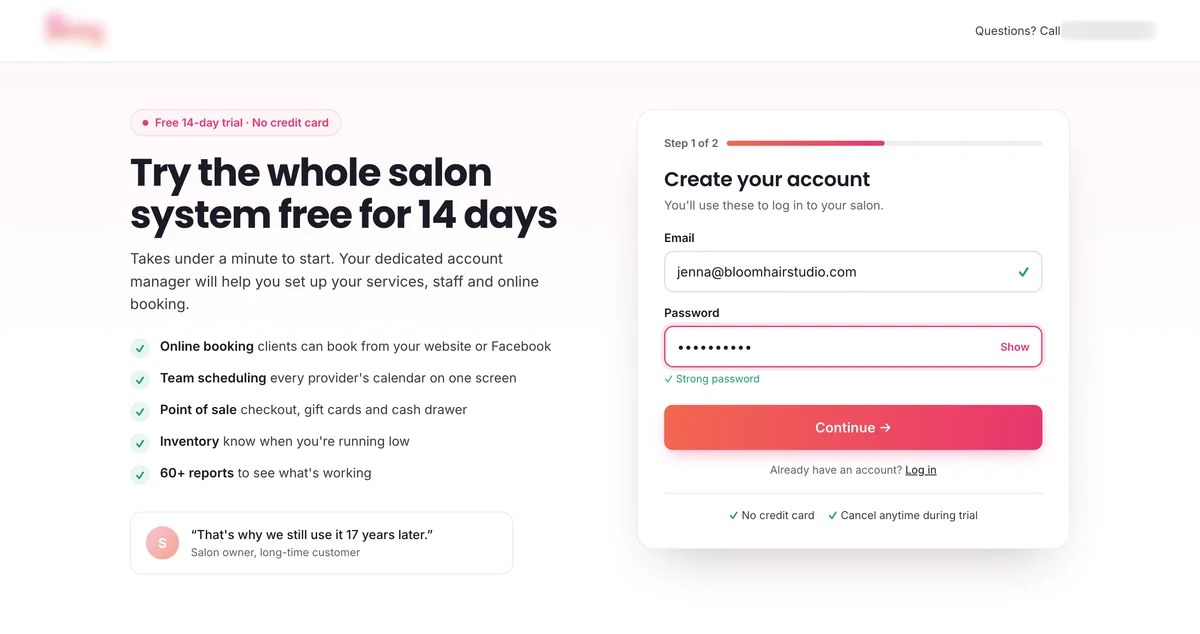
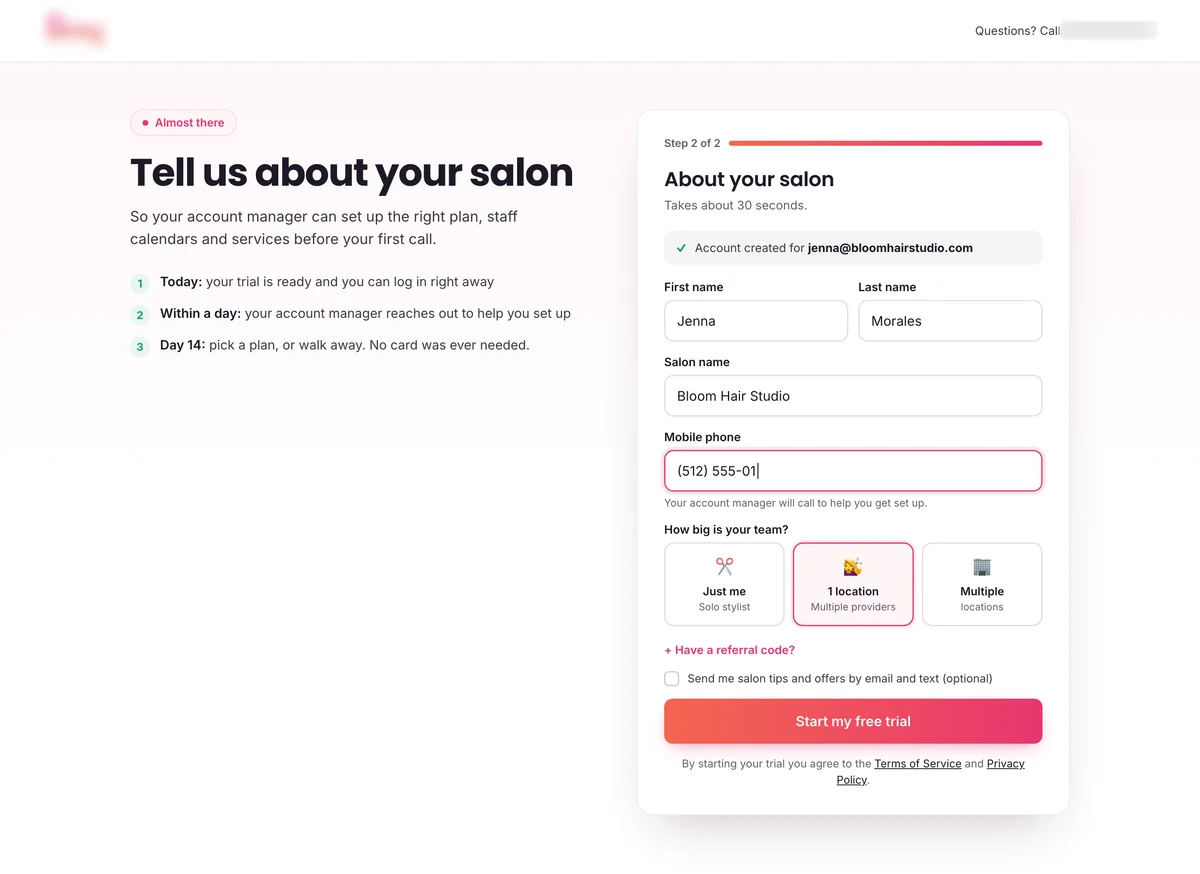
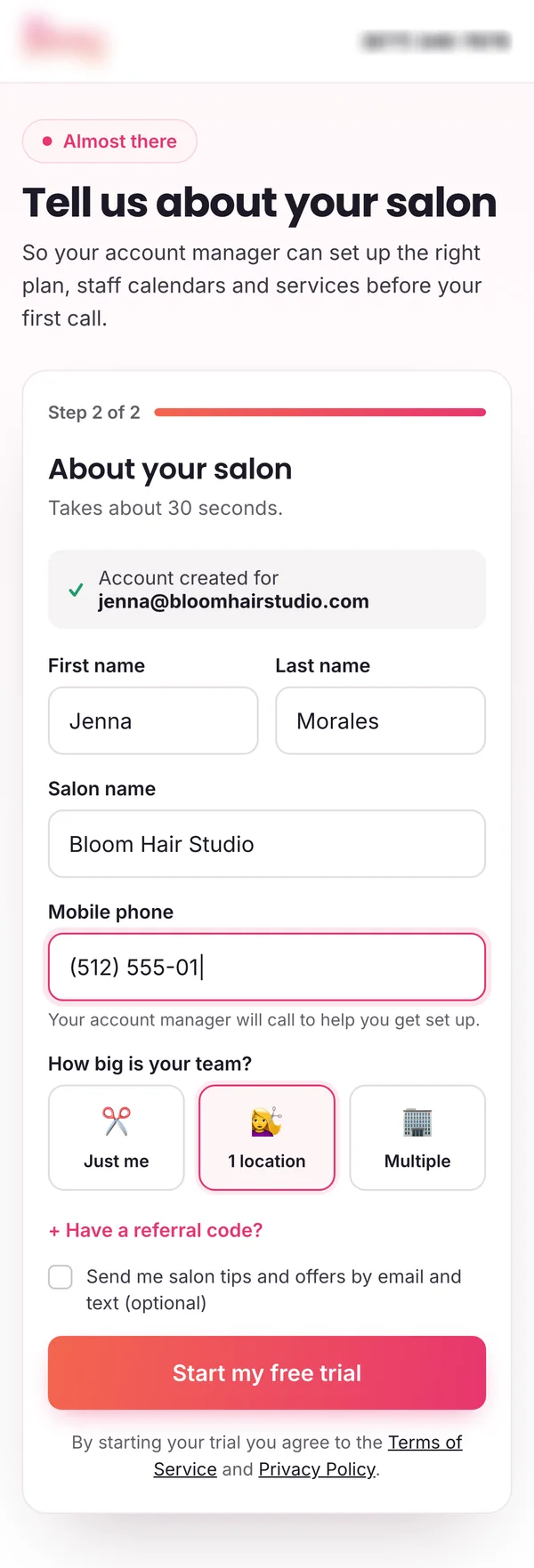
Two short steps. Step 1: email and password. Step 2: name, salon name, mobile phone and team size.
Why: The account and the lead exist after step 1, even if someone stops there. Short steps feel faster than one long form.
Form details
Visible password, a permanent “10 digits” warning, a 4-line referral box and a required checkbox that mixed terms with marketing consent.
Masked password with a Show toggle, the phone field explains why it’s needed, team size as three tap-friendly cards, referral code behind a link and an optional, separate marketing opt-in.
Why: Each small fix removes a moment of doubt. Separate consent is also cleaner for the business.
Hero headline
“Powerful. Trusted. Loved. Salon Software”
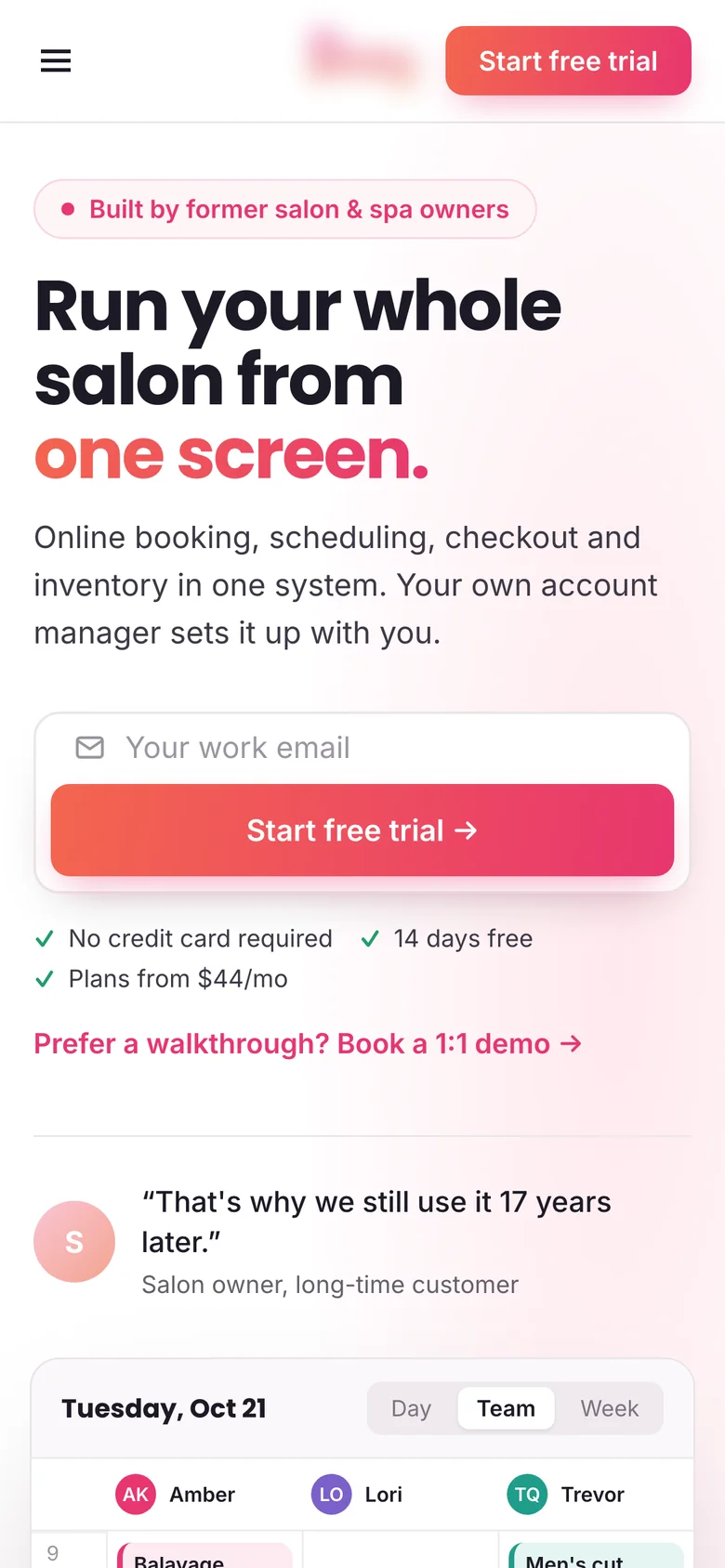
“Run your whole salon from one screen.” with one line on what’s inside: online booking, scheduling, checkout and inventory.
Why: Salon owners buy an outcome, a calmer day, not adjectives.
Product in the hero
A testimonial video, no product.
A team calendar with live booking and confirmation notifications, and the customer quote moved under the button.
Why: Showing the product answers “what is this?” at a glance. The quote still does its job as proof.
Calls to action
“Start Free Trial” and “Book a Demo” as two identical buttons.
An email field and “Start free trial” right in the hero, the email carried into the form, and the demo as a text link. No credit card, 14 days free and the starting price under it.
Why: One clear next step, and the first field is already filled in when the form opens.
Before and after on mobile
Most visitors shop on their phone. Drag the slider to compare the two versions.
Drag to compare before and after
The trial form: before and after
Before: one long form in a fixed-height frame. After: two short steps with the button always on screen.
The trial form on mobile
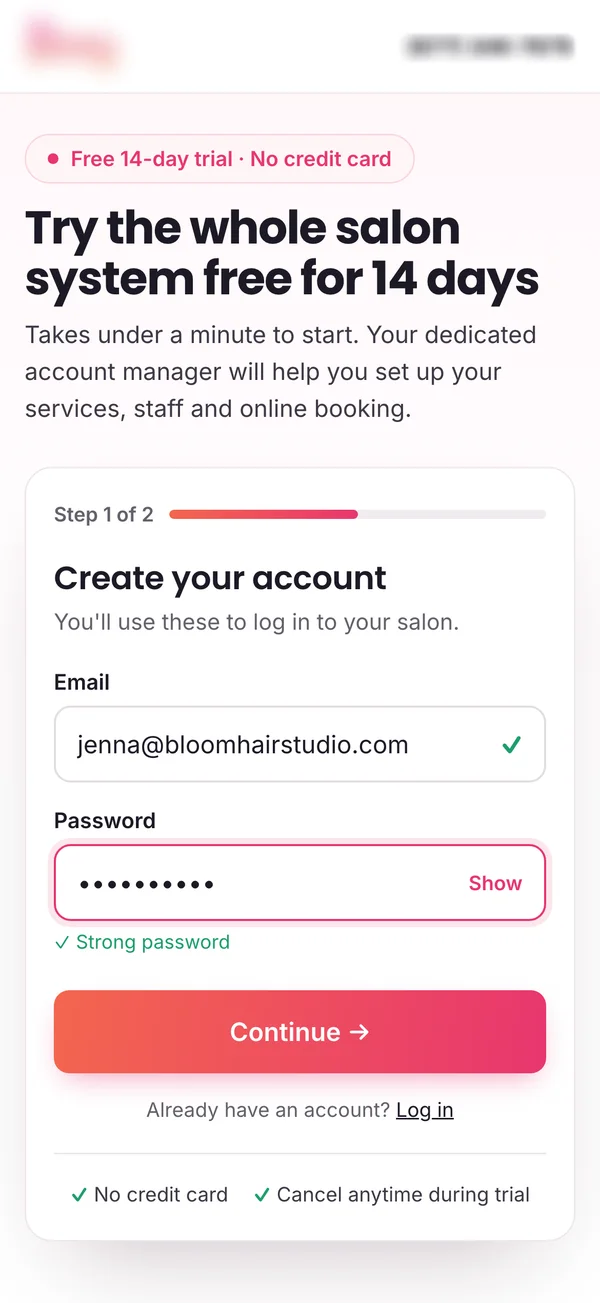
How I measure it
Tested as an A/B test on the hero and the signup form. The primary metric is visitor-to-trial rate: trial starts divided by visitors.
I also track form completion (started to submitted), hero click-through and the drop-off between step 1 and step 2. Trial-to-paid rate is the guardrail, because more trials only count if they are real salons.
More on the metric: how to calculate revenue per visitor.
Let’s talk
Let’s make your next test a winner.
Tell me about your funnel. I’ll point out quick wins, tell you what I’d test first, and say honestly whether I’m the right fit.