How to get more leads from your website: 11 fixes
Short answer
To get more leads from your website, make the first screen say what you do and for whom, put one clear call to action where people see it, show proof next to it, and make the form short and easy, ideally as a few simple steps. Then check every page on a phone and make sure each lead is tracked.
Key takeaways
- One clear call to action beats five competing ones.
- Short forms or short steps get more people to finish.
- Proof next to the form does more than proof at the bottom of the page.
- Track every form, call and booking, or you can’t tell what works.
1 to 3: the first screen
- Say what you do, for whom, in one line. “Solutions for your business” makes people guess. “Bookkeeping for restaurants, done in 2 days a month” doesn’t.
- One clear call to action. “Get a free quote”, “Book a call” or “Check if you qualify”, visible without scrolling. Not five buttons that compete.
- Proof right away. A result, a review, a rating or a known client, near the button.
4 to 7: the form
- Ask for less. Every extra field costs leads. Ask only what you need for the first conversation.
- Split long forms into short steps. Start with an easy question and ask for contact details last. See multi-step vs single-step forms.
- Make the submit button visible. A button hidden below a long form or inside a scrolling box loses people.
- Say what happens next. “We reply within one business day” removes the fear of being spammed.
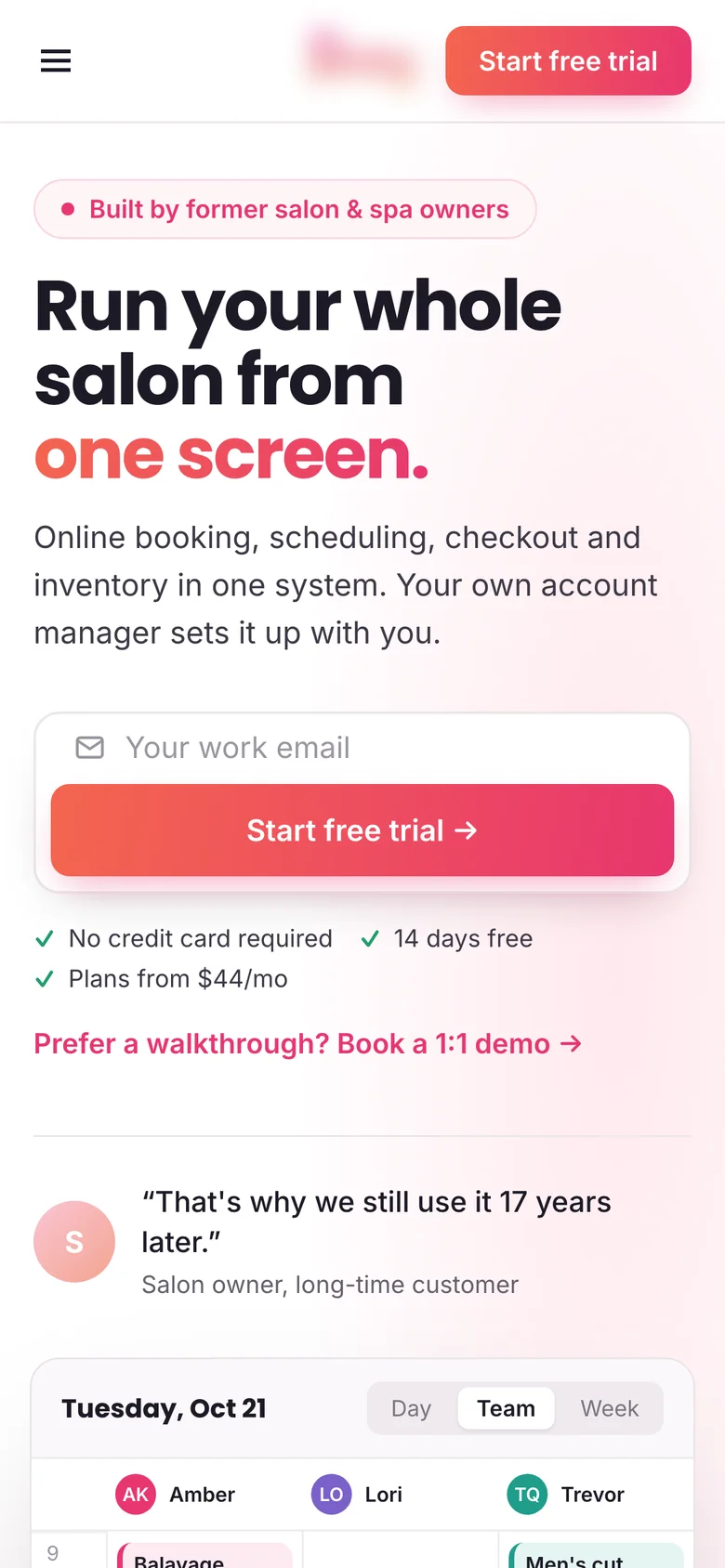
Here is what that looked like for a salon software company. Their trial signup was an 8-field form with the submit button hidden inside a scrolling box. I rebuilt it as a product-led hero and a 2-step signup.

8 to 9: trust
- Show real people and real results. Your face, your team, case studies with numbers, reviews with names.
- Answer objections on the page. Price, time, risk, “is this for me?”. A short FAQ near the form helps.
10 to 11: measure it
- Track every lead. Form submissions, calls and bookings as conversions in your analytics and ad platforms.
- Look at lead quality, not just volume. More leads that never buy is not a win. Judge changes by qualified leads or sales.
Want to know what more leads are worth? Use the CRO calculator in lead generation mode.
Want more leads from the traffic you have?
I redesign landing pages, forms and quiz funnels so more visitors become qualified leads, and I test the result so you know it worked. CRO for lead generation →
FAQ
Why is my website not generating leads?
Usually the first screen doesn’t say what you do clearly, there is no visible call to action, the form is too long, or there is no proof near the form. Sometimes leads come in but aren’t tracked.
Is a multi-step form better than a short form?
Often, when the first questions are easy and contact details come last. It works best when you need several answers to qualify a lead.
How many leads should my website get?
It depends on your traffic and industry. Compare against your own past numbers and track leads per visitor over time.
Sources

I’m George (Djordje) Peric, a CRO designer, CXL certified in Conversion Optimization and Ecommerce Marketing. I design websites, landing pages, funnels and ads, and A/B test them.