
A hot sauce store homepage rebuilt around one question: how hot?
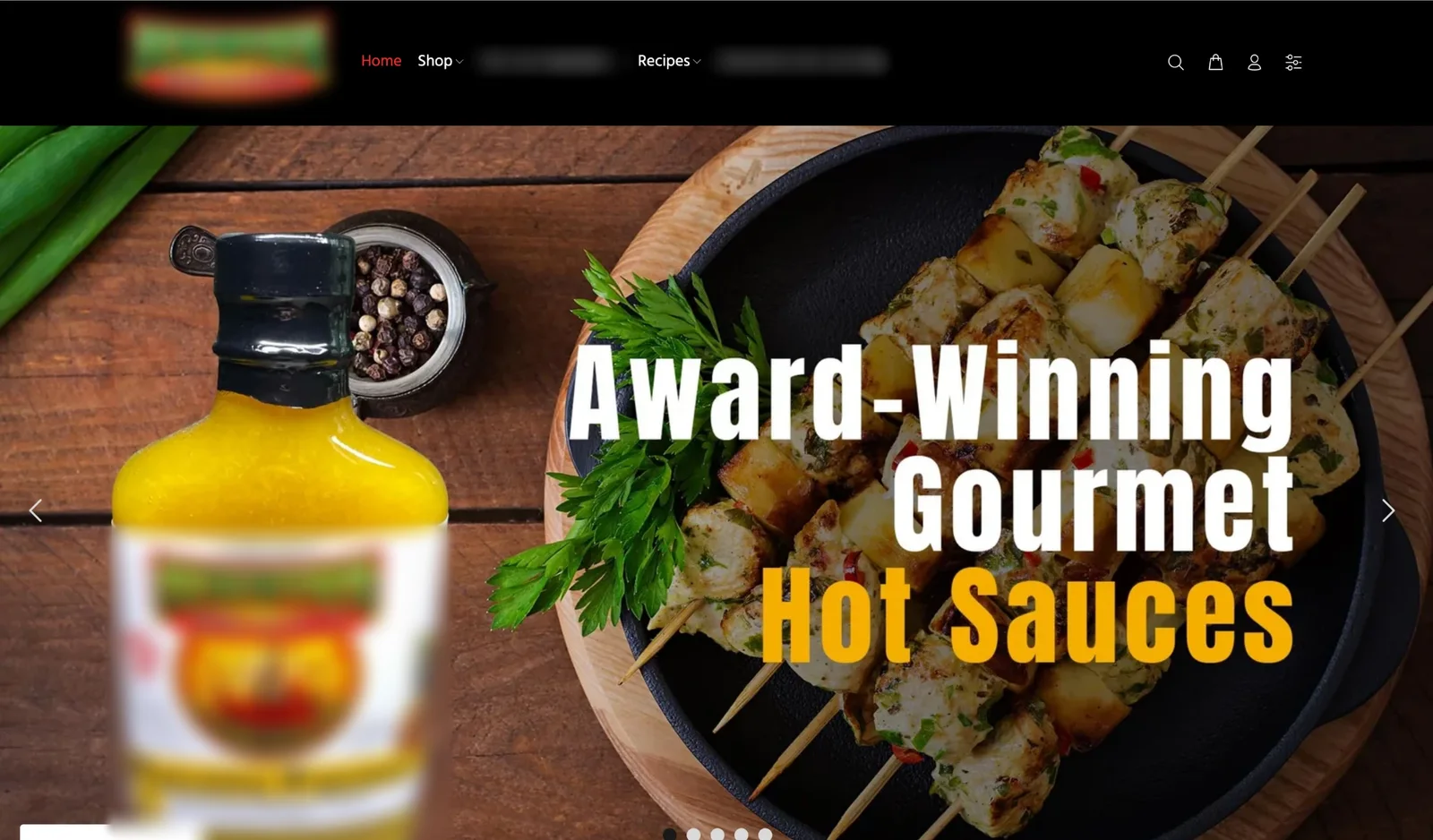
A homepage redesign for a small-batch hot sauce brand selling online. The old homepage opened with a big photo slider and the claim “Award-Winning Gourmet Hot Sauces”. Visitors had to scroll to see the range, and there was no price or clear next step on the first screen. I redesigned the homepage on desktop and mobile so the first screen answers what a hot sauce shopper actually wants to know.

Drag to compare before and after
The problem
The homepage looked nice, but it worked like a magazine cover. The first screen was a rotating photo of grilled skewers with one bottle, a menu with brand-specific sections, and a generic “award-winning” claim.
A hot sauce shopper has three questions: how hot is it, what does it taste like, and what does it cost. The old first screen answered none of them. The heat levels were there, but only after scrolling, and prices only appeared on product pages.
Proof was also hidden. The brand has strong ratings, festival awards and national retail, but the homepage only said “award-winning”.
What I redesigned
Every change, element by element: how it was, what I changed, and why.
Headline
“Award-Winning Gourmet Hot Sauces” over a photo slider
“Fire-roasted Texas hot sauce. Pick your heat.” with one line on why it tastes different: the peppers are roasted before bottling, so it’s smoky, not just hot.
Why: “Award-winning” is a claim every brand makes. What makes this sauce different is how it’s made, and that belongs in the headline.
Product range
One bottle in the hero photo. The rest of the range only after scrolling.
All six sauces in the first screen, labelled “6 sauces, mild to ghost pepper”.
Why: Seeing the full range right away tells people there’s something for their heat level before they scroll.
Shop by heat
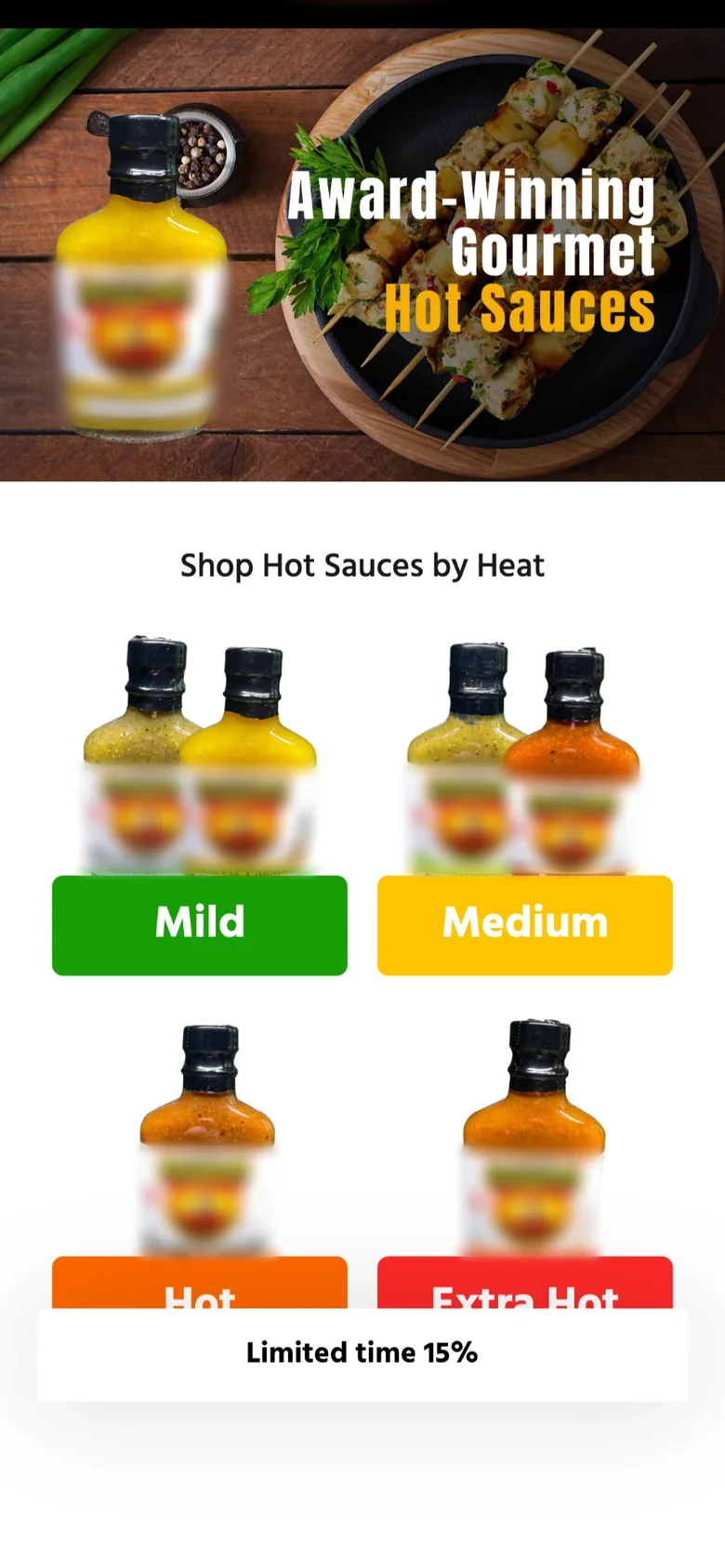
“Shop Hot Sauces by Heat” with four big colored buttons, below the fold.
A heat picker on the first screen (Mild, Medium, Hot, Extra hot with chili icons), Medium selected by default, and a main button that follows the choice: “Shop medium sauces”.
Why: Heat is the first decision a hot sauce buyer makes. Putting it on the first screen turns browsing into one tap.
Price and offer
No price on the homepage.
“From $9.99 per bottle” next to the products, “Mix any 4 sauces for $35.99” in the top bar, and “Build a 4-pack” as the second button.
Why: A visible price removes a reason to leave, and the 4-pack gives people a reason to buy more than one bottle, which raises order value.
Proof
A generic “award-winning” line.
A proof row under the buttons: 4.97 average rating, triple festival champion and national retail availability.
Why: Specific proof is more believable than a general claim, and it sits right where people decide.
Navigation
Brand-specific menu items such as highlights and an interactive map.
A menu named after what people shop for: Hot Sauce, Salsa, Bundles & Gifts, Recipes, Our Story.
Why: Shoppers look for products, not for internal section names.
Before and after on mobile
Most visitors shop on their phone. Drag the slider to compare the two versions.

Drag to compare before and after
Let’s talk
Let’s make your next test a winner.
Tell me about your funnel. I’ll point out quick wins, tell you what I’d test first, and say honestly whether I’m the right fit.